
besttrace是https://www.ipip.net/开发的一款图形化的路由追踪软件,可以直观的显示路由追踪的各级节点。官网上有windows,macOS,iOS,Android,web版本,但是实际上也是linux的版本的。
wget https://cdn.ipip.net/17mon/besttrace4linux.zip
unzip besttrace4linux.zip
chmod +x besttrace
./besttrace -q 1 IP
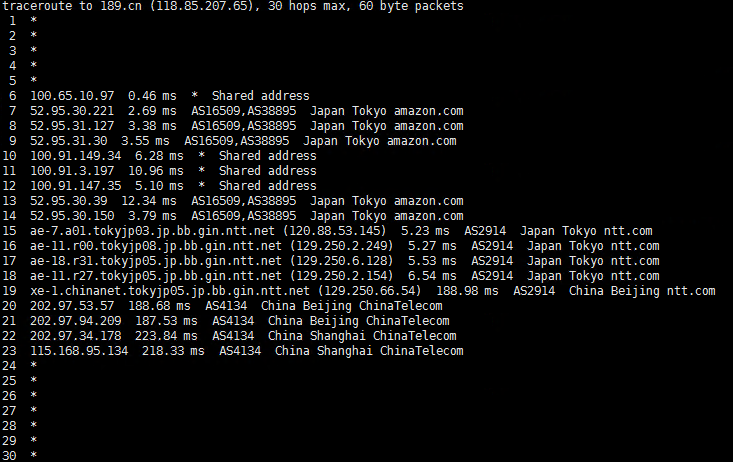
更多使用提示:
Usage of ./besttrace host [ packetlen ]
  -J, --json
    	Print traceroute result with JSON format.
  -g, --lang string
    	Language only supported cn and en now.
  -m, --maxhop int
    	Specifies the maximum number of hops (max time-to-live value) traceroute will probe. The default is 30. (default 30)
  -a, --noas
    	Do not try to map IP addresses to AS when displaying them.
  -n, --nodomain
    	Do not try to map IP addresses to host names when displaying them.
  -l, --nolocation
    	Do not try to map IP addresses to location when displaying them.
  -q, --queries int
    	Sets the number of probe packets per hop. The default is 3. (default 3)
  -z, --sendtime int
    	Minimal  time interval between probes (default 0).
    	If the value is more than 10, then it specifies a number in milliseconds, else it is a number of seconds (float point values allowed too).
    	Useful when some routers use rate-limit for ICMP messages.
  -f, --starthop int
    	Specifies with what TTL to start. Defaults to 1. (default 1)
  --sync
    	Send icmp package by sync.
  -T, --tcp
    	Use TCP SYN for probes.
  -V, --version
    	Print the version and exit.
  -w, --waittime int
    	Set the time (in seconds) to wait for a response to a probe (default 5.0 sec). (default 3)